01
Connect your library
Bring in your Apple Music library and playlists. Start with All Songs, or choose a playlist whenever you want a focused ranking.
SongDuel turns instinctive, head-to-head choices into a living ranking of the music you already love.
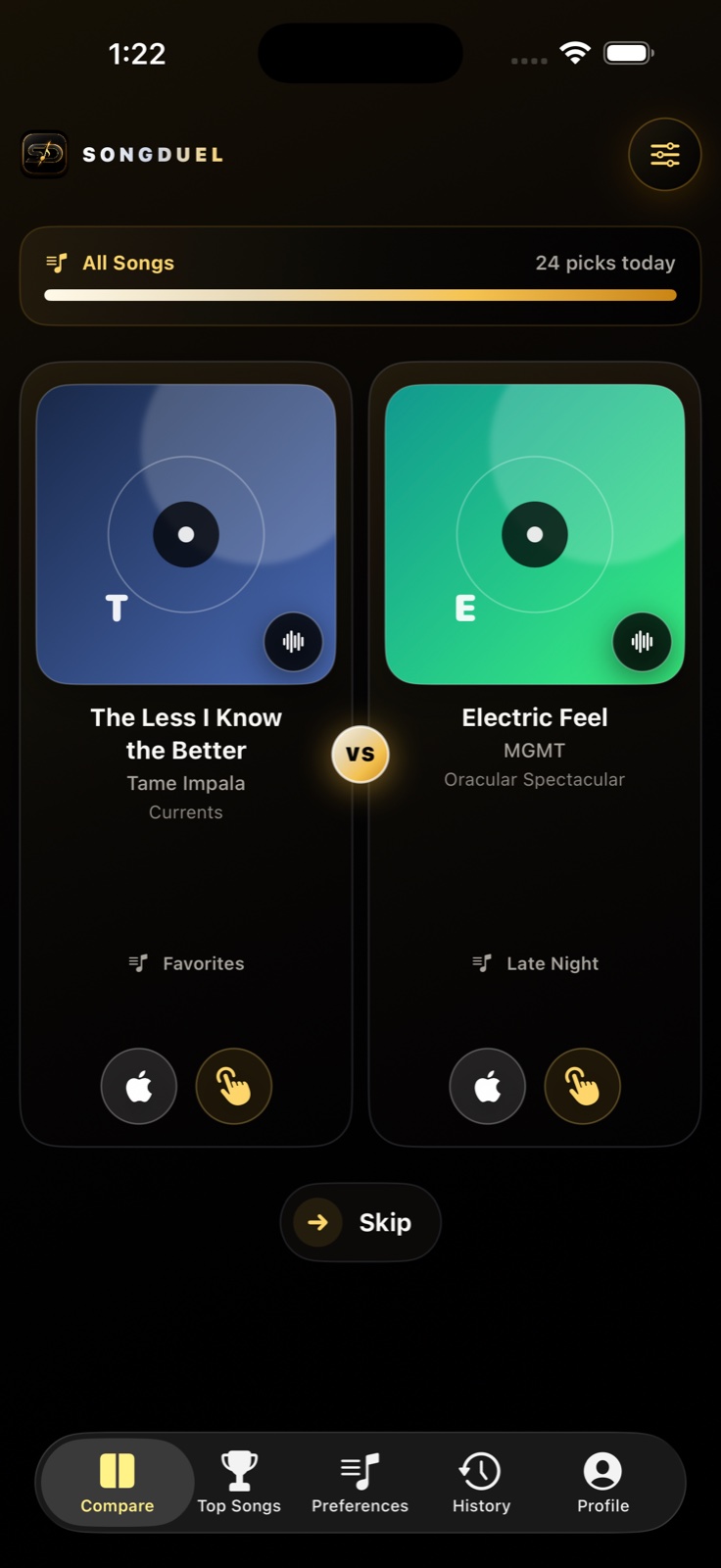
No star ratings. No endless sorting. Just two songs and one honest decision at a time. SongDuel does the math, so your true favorites naturally rise.
SongDuel learns from what feels natural: choosing the song you would rather hear right now.
Bring in your Apple Music library and playlists. Start with All Songs, or choose a playlist whenever you want a focused ranking.
Pick a song, then use the brief confirmation to cancel or switch. Skip a matchup and you still have a two-second Undo window.
Your ranking is available immediately. Explore Top Songs and Insights from the collapsible Menu, then watch clarity grow with every pick.
Tap the song you want to hear. The demo uses SongDuel’s default three-second selection window, so you can cancel or change your mind before the ranking updates.
Choose a track to see your ranking react.
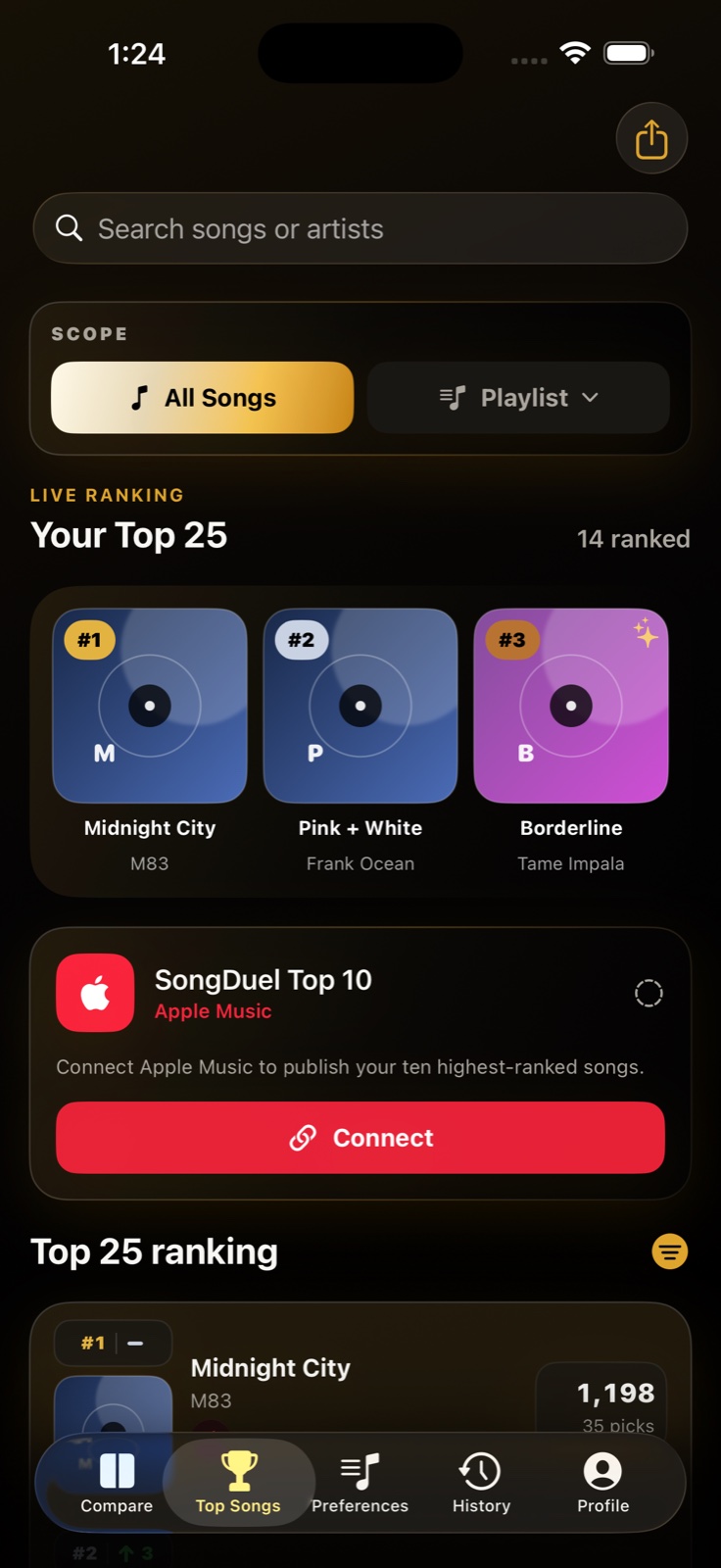
A clear view of what is rising, what is lasting, and how your taste changes over time.
See your starting estimate immediately, then move between Top 10, Top 25, Top 50, Top 100, or every song in a smaller playlist.
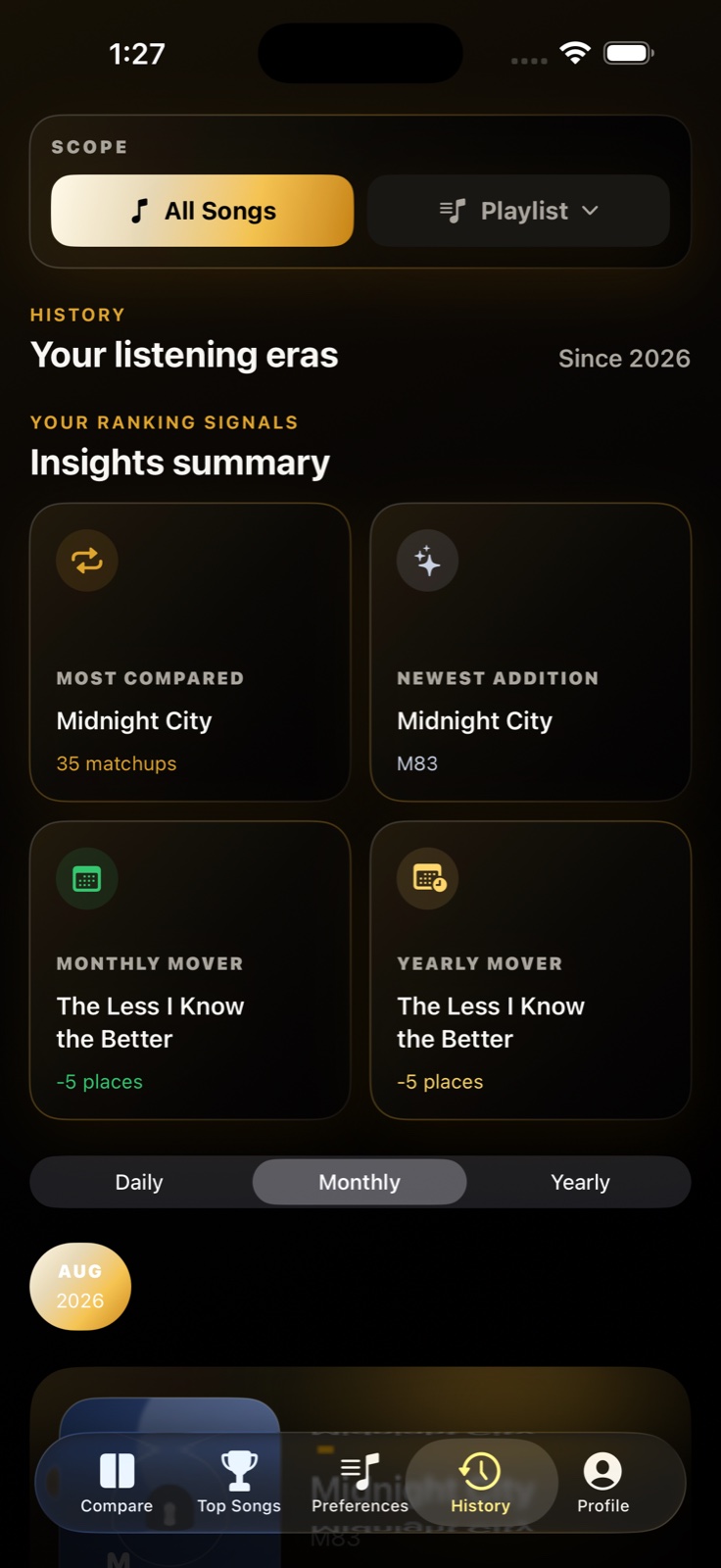
See the songs and signals shaping your taste, then move through daily, monthly, and yearly snapshots of your ranking.
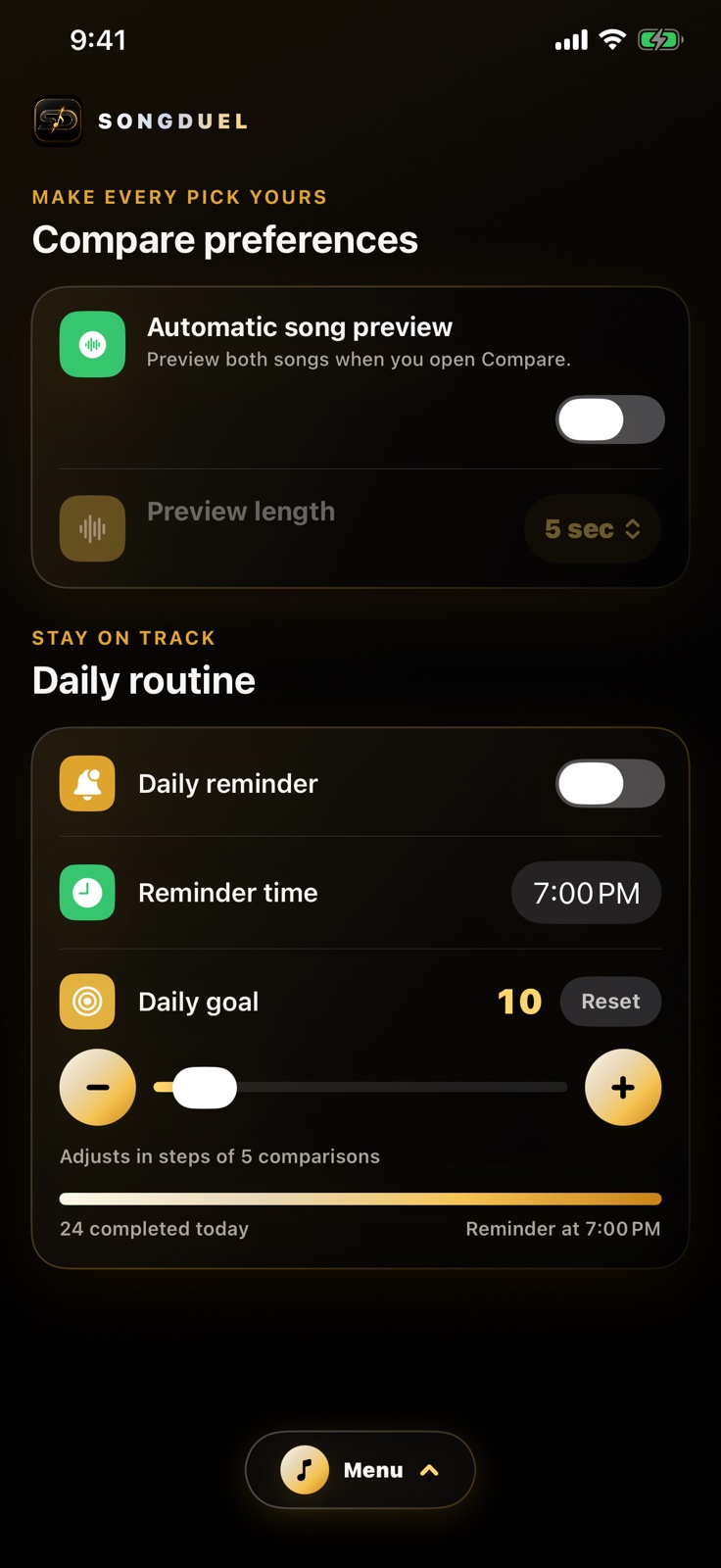
Profile keeps preview, routine, learning, music-service, and account controls together in one polished home.
Sign in with Apple protects your SongDuel account. Apple Music permission is separate and revocable. Your picks work offline first and sync securely to your account.
If you enable Automatic preference sync, supported Apple Music listening, recency, favorite, and library signals can shape a private starting estimate. Every head-to-head choice adds stronger direct evidence. Rankings are available immediately, with clarity milestones for Top 10 at 30 picks, Top 25 at 75, Top 50 at 150, and Top 100 at 300.
SongDuel’s current release is built around Apple Music. Some playback and library features depend on Apple Music availability, an active subscription, and Sync Library.
The Most Listened list stays separate and never pretends to be your SongDuel ranking. Automatic preference sync is optional and off by default. When enabled, supported listening signals can give frequently played songs a small starting boost and prioritize them in upcoming comparisons; your direct choices remain in control.
Yes. Turn on Automatic preference sync in Profile when you want SongDuel to read supported listening and favorite signals. It syncs immediately and stays current automatically. Turning it off stops preference reads while leaving your Apple Music library connection available.
Yes. Use the ranking selector on Compare, Top Songs, or Insights to choose All Songs or an Apple Music playlist. Matchups, ranking progress, and history follow the selected scope.
Automatic song preview is optional and off by default. Enable it in Profile, then choose 5, 10, 15, 20, 25, or 30 seconds per song. SongDuel previews the left song and then the right when you open Compare. Skip includes a two-second Undo window.
Yes. From Profile you can clear app data without deleting your account, disconnect Apple Music, log out, or permanently delete your SongDuel account and associated cloud data.
Share an idea, report something that is not working, or tell us where the experience could feel clearer. Every thoughtful note helps guide what comes next.
Share it only if you are comfortable with the SongDuel team replying for more details. Without an email, your feedback is anonymous and we cannot contact you with questions or updates.
This website does not upload or store your message. Submit opens a prepared email in your device’s email app.
 Available now for iPhone
SongDuel is live on the App Store. Download it free and start turning your Apple Music library into a ranking that is uniquely yours.
Designed for iOS 17 and later.